
At its core, a surveillance camera system does three simple things: it captures video, sends it to a recorder, and stores it so you can watch it live or review it later. You usually need a few basic pieces to make it happen. The cameras themselves, a recorder (like an NVR or DVR), some hard drives for storage, cabling, and an app to view the footage.
Today, most professional setups use IP network cameras. They shoot in high resolution, can actually see in color at night, and use built-in AI to tell the difference between a person and a stray cat. Let us break down how these parts work together, look at the main camera types, and figure out which features are actually worth your money.


What Does a Security Camera Do?
People often think cameras stop crime. They do not. A camera just records it. But a good system still handles four critical jobs for your property:
Deterrence. Just seeing a camera makes a lot of opportunistic thieves move on to an easier target. Documentation. If something does happen, you have hard evidence for the police or your insurance company. Remote check-ins. You can pull up a live feed on your phone to see if the front door is locked or check on the stockroom. Smart alerts. Modern motion detection can ping your phone only when a person or vehicle enters a specific zone, ignoring the wind in the trees.
Just remember that cameras work best when paired with solid lighting, good locks, and proper access control. Commercial access control systems.
How Does a Surveillance Camera System Work?
- Capturing the image. Light passes through the lens and hits the image sensor. If it is dark, infrared LEDs or special low-light sensors kick in to help the camera see.
- Sending the signal. The video travels over a cable or your local network. In most modern professional setups, a single Ethernet cable handles both the video data and the power for the camera. This is called Power over Ethernet, or PoE.
- Recording and storing. The recorder (an NVR for IP cameras or a DVR for older analog setups) receives the feed and writes it to internal hard drives. This is your actual video vault.
- Viewing and searching. The software or mobile app lets you watch the live feed, scrub through the timeline, and export specific clips.
- Analytics (optional). Smart cameras or recorders can watch the feed for you, spotting people or vehicles and sending an alert instead of flagging every single shadow that moves.
Main Camera Types
IP vs analog: the big split
| Feature | IP (network) cameras | Analog / HD-over-coax cameras |
|---|---|---|
| How it connects | Ethernet cable (PoE) to an NVR | Coax cable to a DVR |
| Resolution | Up to 4K and higher | Up to about 4K on newer HD analog, often lower |
| Extras | Smart detection, easy expansion, remote access, many settings | Fewer features; very simple |
| Wiring | One cable for data and power | Often a separate power run |
| Best for | New installations | Upgrading an old coax system without re-cabling |
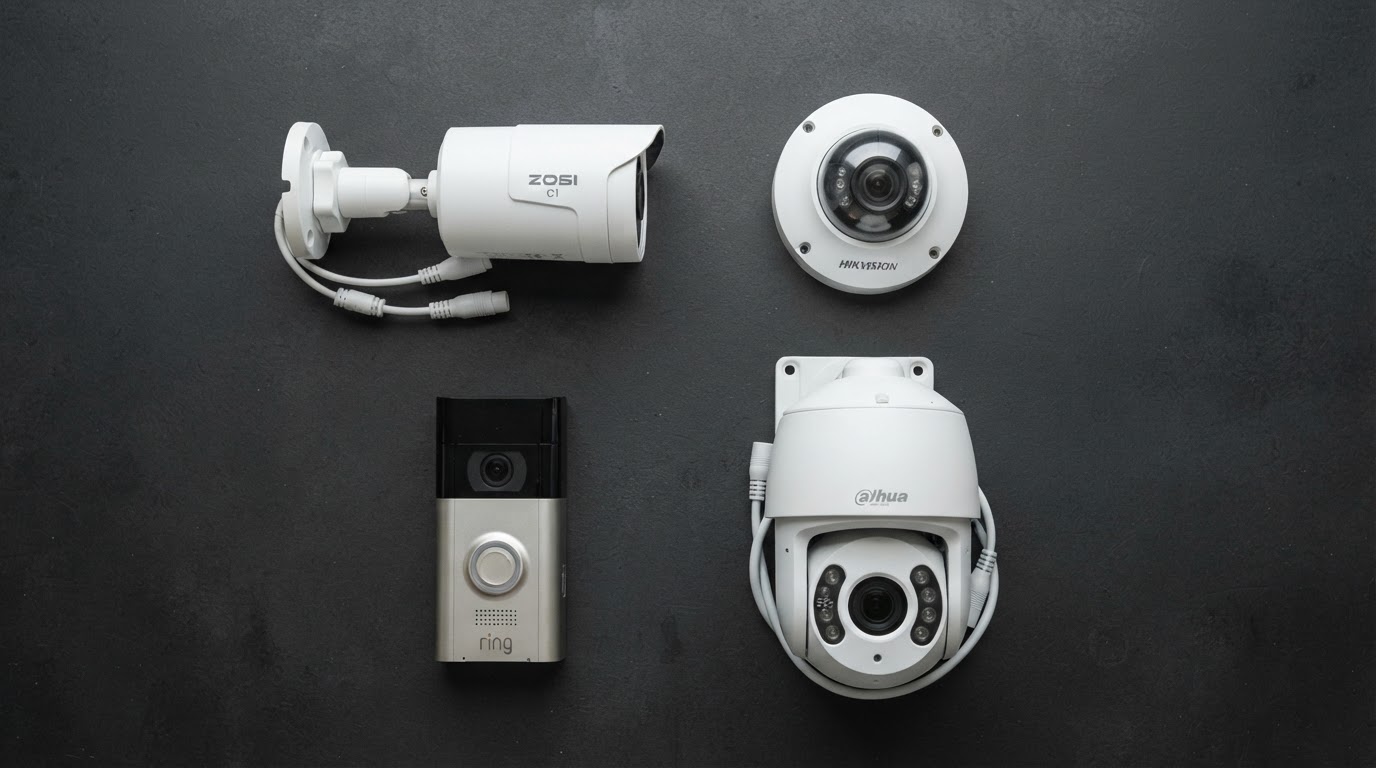
For any brand new installation, IP cameras are the way to go. The price gap has closed significantly, but the jump in image quality and smart features is massive. IP camera systems for business.
By shape
| Type | What it looks like | Good for |
|---|---|---|
| Bullet | Tube-shaped, visible | Long-distance views, outdoors; visible deterrent |
| Dome / turret | Rounded or ball-shaped | Entrances, ceilings, interiors; harder to tell where it points |
| PTZ | Motorized, pans, tilts and zooms | Large lots and yards, with a person or software controlling it |
| Doorbell camera | Built into a doorbell | Front-door visitors and packages |
| Panoramic / multi-sensor | Several lenses in one housing | Wide open areas with one cable |
Features That Actually Matter
| Feature | What it means | Why you care |
|---|---|---|
| Resolution (MP) | Picture detail; 4MP and up is common, 8MP is called 4K | More detail at distance (faces, license plates). More storage needed |
| WDR (wide dynamic range) | Balances bright and dark areas in one picture | Without it, a person in front of a bright window becomes a silhouette |
| Low-light / full-color night vision | Sensor and lens that keep color after dark | Color helps identify clothing and vehicles. Infrared alone shows black and white |
| IP rating (IP66+) | Dust and water protection | Needed outdoors |
| Smart detection | Detects people and vehicles | Fewer false alerts than plain motion |
| Lens / field of view | Wide angle or zoomed in | Wide for rooms, narrow for gates and plates |
| Storage and retention | How many days the recorder keeps video | For example, 20 cameras at 4MP recording continuously need roughly 8 to 12 TB for 30 days |
| Local vs cloud storage | Recorder on site, or video in the cloud | Local is usually cheaper long term; cloud adds off-site backup but often a monthly fee |
Advantages and Limits
Let us be realistic about what these systems can and cannot do.
The good stuff: Deterrence, solid evidence, remote visibility, protecting yourself against false liability claims, and keeping insurance premiums in check.
The hard limits:
- A camera records a crime. It does not physically stop a determined intruder.
- If the power goes out, cameras without a battery backup will stop recording. A small UPS (uninterruptible power supply) connected to your recorder fixes this.
- Bad placement, sun glare, or a dirty lens will ruin an expensive camera’s footage. 10 camera mistakes businesses make.
- Networked cameras can be hacked if you leave the factory default passwords in place. Change them immediately, update the firmware, and put the cameras on their own isolated network if possible.
- Privacy laws are strict, especially regarding audio recording.
Security of the Camera Itself
Treat your cameras like any other computer on your network. Set strong, unique passwords and never leave the default admin credentials active. Keep the firmware updated. Turn off remote access features you do not actually use. If you can, put the cameras on a separate VLAN so a compromised camera cannot give someone access to your main business network.
Also, if your business handles federal contracts or operates in government buildings, make sure the equipment you buy complies with NDAA Section 889 restrictions before you sign any purchase orders.
Cameras and the Law in Pennsylvania
Video recording in areas where people do not expect privacy is generally perfectly fine. Audio is a completely different story. Pennsylvania is a two-party consent state, meaning it is illegal to record private conversations without everyone’s permission. Since a lot of modern cameras ship with microphones turned on by default, the safest bet for businesses is to disable audio recording entirely.
You can read more about the specifics here: Pennsylvania security camera laws. And if you are installing cameras on a residential property in a tight Philadelphia rowhome block, check out our guide on placement rules: camera placement for rowhomes.
How to Choose: A Short Checklist
- Figure out exactly what each camera needs to capture. Do you need to read a license plate at the gate, identify a face at the door, or just see general movement?
- Stick to wired IP cameras wherever possible. Use wireless only as a last resort or a quick supplement.
- Pick your resolution based on the distance to the target, not just the biggest megapixel number on the box.
- Make sure your recorder has enough hard drive space for the number of days you want to keep footage, plus a few empty channels for future expansion.
- Buy a UPS battery backup for your recorder and network switch.
- Decide who is actually going to check the footage and how often.
- Always get a written quote that breaks down the cost of equipment and labor separately.
Need help figuring out the budget or camera count? Check out our pricing guide [INTERNAL LINK: /blog/how-much-do-business-security-cameras-cost-in-philadelphia-2026-pricing/ “business security camera costs in Philadelphia”] and our camera count calculator [INTERNAL LINK: /blog/how-many-security-cameras-business-needs/ “how many cameras your business needs”]. Still debating whether to mount them yourself? Read our breakdown of DIY versus professional installation DIY vs professional installation.
FAQ
How do security cameras work?
Light enters the lens, hits a sensor, and gets converted into a digital video signal. That signal travels over a cable or network to a recorder, which stores it on a hard drive or in the cloud. You can then view it live or play it back on a screen or phone.
What is the difference between a surveillance camera and a security camera?
In everyday conversation, they mean the exact same thing. “Surveillance camera” is just the term the commercial security industry uses, while “security camera” is what most homeowners say.
What is an NVR?
It stands for Network Video Recorder. Think of it as a specialized computer filled with hard drives that records video from IP cameras and lets you search through the footage.
Are IP cameras better than analog?
For a brand new setup, absolutely. They offer much higher resolution, smart AI detection, and only need one cable for both power and data. Analog HD is really only useful if you are upgrading an old building and want to reuse the existing coaxial cables.
Do security cameras work without internet?
Yes. As long as they are wired to a local recorder, they will keep recording even if your internet goes down. You just will not be able to view the live feed on your phone until the connection comes back.
How long should security camera footage be kept?
For most businesses, 30 days is the standard baseline. You might want to keep it longer if you deal with late-reported incidents or have specific industry regulations to follow.
Can security cameras record audio?
The hardware can do it, but the law makes it risky. In Pennsylvania, recording a conversation without the consent of everyone involved carries heavy penalties. Most commercial systems should just run video with the microphones disabled.
Do outdoor cameras need professional installation?
Not always for a single camera. But if you are running cables through brick walls, setting up multiple cameras, and wiring a central recorder, professional installation saves you a massive amount of time and ensures the weatherproofing is done right. See our DIY vs professional comparison above.
Need cameras for a Philadelphia home or business? Book a free site survey. We will recommend the exact camera types for each position and give you a quote in writing. Business video surveillance · Home security cameras.